Meet QuickScan AI
QuickScan AI is an OCR face sheet scanning feature native to the HybridChart mobile application. It removes manual data entry for patient registration, allowing physicians and other HybridChart users to quickly and efficiently register patients when an ADT feed is not available.
Key takeaways
- Scans a paper or on-screen face sheet and extracts patient demographics and insurance.
- Builds the patient chart automatically, with no manual typing.
- HybridChart reports about 2.5 minutes saved per patient on complete registration.
- Included in core HybridChart at no extra cost. No add-on required.
- HIPAA compliant. Images are stored in the patient data tab, not your phone camera roll.
- Works with AutoLink Max to send demographics and insurance directly into your EHR.
What slows down patient intake today?
Practices lose time to manual registration. Rounding lists change constantly. Consult volume is high. Staff re-key patient data from face sheets, and that information often arrives incomplete or incorrect. The result is more administrative time, more room for error, and less time with patients. QuickScan AI targets that manual step.
What is QuickScan AI?
QuickScan AI is a HybridChart feature that reads a patient face sheet and extracts the key data automatically. A face sheet is the summary document that lists a patient’s demographics and insurance. QuickScan AI uses OCR, or optical character recognition, to read each field and place it into the matching field in HybridChart. It captures demographics, pulls in insurance details, and creates the patient chart without manual entry.
How does QuickScan AI work?
The provider workflow is three actions: scan, review, add.
- Open QuickScan from the plus symbol at the top right of the HybridChart mobile app. The camera launches automatically.
- Capture the face sheet. Orientation can be horizontal or vertical. QuickScan begins reading and extracting the data immediately.
- Review the extracted demographics for accuracy. Edit any field, recapture if needed, and select the hospital.
- Select Add Patient and Keep on Service to add the patient to your list.
You can follow the process in real time. The app shows each stage, from receiving the data, to processing the image, to extracting the fields, to building the chart. The captured image is saved in the patient data tab for later reference.
What data does QuickScan AI capture?
Today QuickScan AI captures patient demographics and insurance details. HybridChart has stated that clinical data capture, including diagnoses and medications, is in development. See the roadmap section below.
How much time does QuickScan AI save?
HybridChart reports practices save about 2.5 minutes per patient on complete registration. The figure reflects time removed from manual data entry. Actual results depend on your patient volume and workflow.
Is QuickScan AI HIPAA compliant and secure?
Yes. QuickScan AI is HIPAA compliant. Images captured in the HybridChart app are never saved to your phone camera roll. They are stored in the patient data tab, where your team can access them later for reference.
What is AutoLink Max, and how does it work with QuickScan?
AutoLink Max is a HybridChart enhancement that sends captured data into your EHR. After the patient and charges are added, AutoLink Max searches for the patient, links or creates the chart, and pushes the insurance and demographics into the correct EHR fields. Athena supports this data transfer today. HybridChart has stated that NextGen and Advanced MD support is coming.
AutoLink Max is a paid subscription and is separate from QuickScan AI. You do not need AutoLink Max to use QuickScan AI. To see pricing for your practice, open the Administration dashboard on the HybridChart desktop site, go to the Enhancements tab, and select AutoLink Max.
Can QuickScan AI replace an ADT feed?
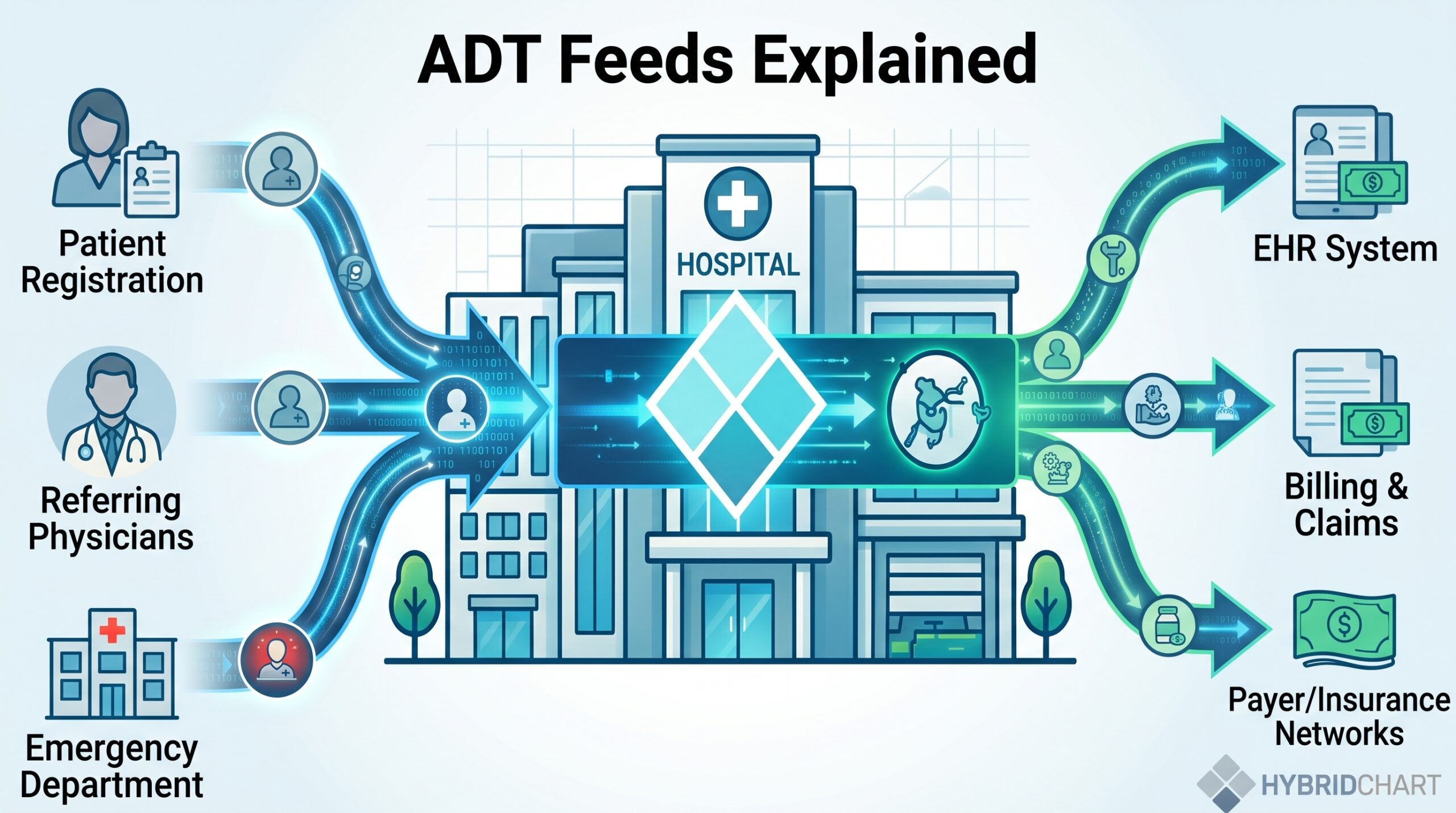
It can supplement or potentially replace one. An ADT feed sends admission, discharge, and transfer data between hospital systems. QuickScan AI is trained to capture the fields an ADT feed typically populates, so practices can run it alongside an existing feed or use it in place of one.
How accurate is QuickScan AI?
QuickScan AI is built on a self-training neural network that improves as it processes more data. When the system cannot read a field with confidence, it leaves that field blank rather than guessing.
Naming conventions vary by facility, and QuickScan follows specific rules. If a middle initial appears without a comma, it is grouped with the first name. When multiple names are present, comma placement determines whether the extra name groups with the first or last name. Hospitals with unusual naming formats may need to adjust the name fields manually.
For the best read quality:
- Use good lighting and hold the device steady.
- Keep the camera lens clean.
- Capture a paper face sheet when possible. It usually reads more clearly than a monitor.
Share examples of misreads with your customer account manager so the model can be tuned for your facility.
What is on the QuickScan AI roadmap?
HybridChart has stated the following are in development:
- Bulk QuickScan, for processing multiple face sheets at once.
- Expanded EHR support, including NextGen and Advanced MD.
- Clinical data capture, including diagnoses and medications.
- Possible support for panel reads.
Who benefits from QuickScan AI?
QuickScan AI affects more than providers. Accurate data at intake improves the revenue cycle, scheduling, and downstream efficiency. Schedulers can reference the stored face sheet image for office follow-ups. With AutoLink Max, insurance populates directly into the EHR. When every provider uses the same intake tool, the data stays consistent for the revenue cycle and scheduling teams.
Frequently asked questions
How does QuickScan AI work?
QuickScan AI uses optical character recognition to read each field on a face sheet and place it into the matching field in HybridChart. It builds out every field it can read clearly. Clear, well-lit, steady images produce the best results.
Is QuickScan AI secure and HIPAA compliant?
Yes. No image taken through the HybridChart app is saved to your phone camera roll. Images are stored in the patient data tab and can be accessed later by your team.
Do I need AutoLink Max to use QuickScan AI?
No. QuickScan AI works on its own. Your team can use the extracted data even when entering it into the EHR manually. AutoLink Max adds direct EHR transfer.
What happens if QuickScan AI is not confident about a field?
It leaves the field blank rather than entering uncertain data. If you see fields that consistently fail, report them to your customer account manager so the model can be trained to handle them.
Do I need training or onboarding?
No. You use the QuickScan option instead of the patient search fields when adding a patient, and QuickScan does the rest.
How much does QuickScan AI cost?
Nothing extra. It is part of core HybridChart, not an add-on.
Could QuickScan AI replace an ADT line?
Potentially. It captures the fields an ADT feed usually fills, so it can supplement or replace one.
Does QuickScan AI work for cardiology or panel reads?
Not yet. QuickScan AI currently focuses on demographics and insurance. Panel reads are part of planned future development.
How much does AutoLink Max cost?
Pricing depends on your practice. Open the Administration dashboard on the HybridChart desktop site, go to the Enhancements tab, and select AutoLink Max for a cost breakdown.